Reflection
This project demonstrated my ability to bring clarity and accessibility to complex public-sector information systems.
By aligning policy intent with human experience, I helped the Ministry deliver a modern, inclusive, and trustworthy digital service that empowers Ontarians to work safely and confidently.
Client: Government of Ontario – Ministry of Labour
Role: Lead UX & Service Designer
Focus: Accessibility • Service Modernization • Information Architecture • Public Employee/Citizen Experience
Project Overview
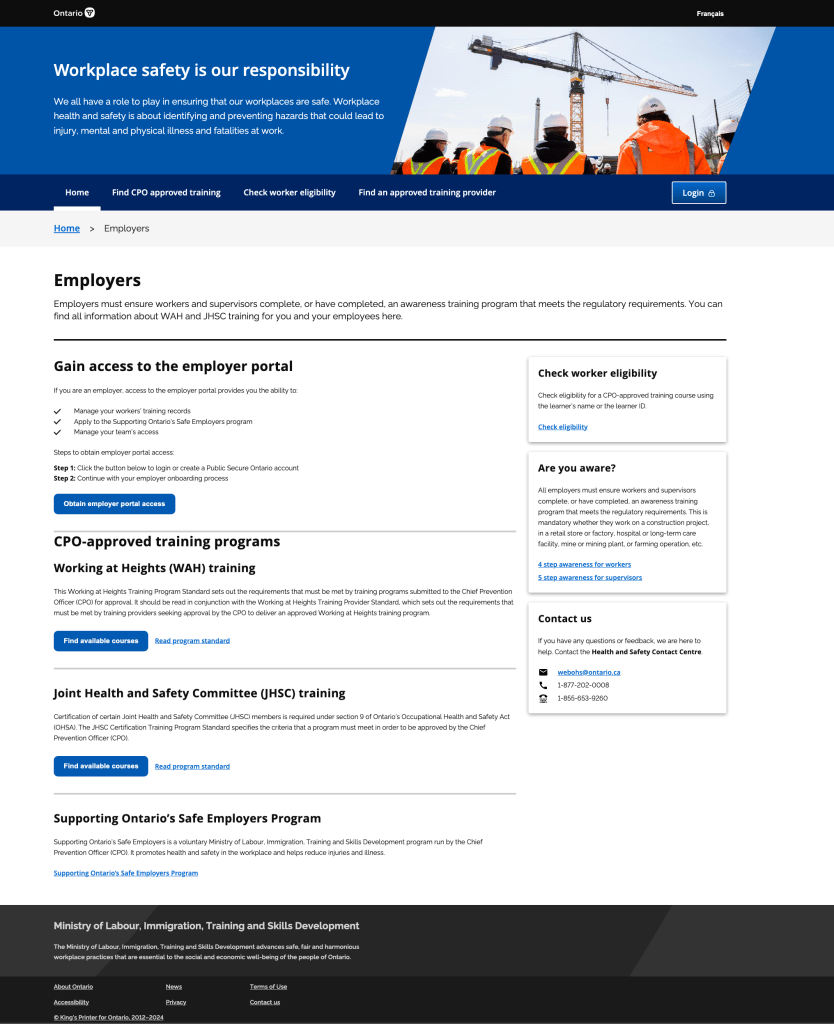
The Ontario Ministry of Labour needed to modernize its Health and Safety Training and Certification website, the province’s primary digital hub for employers, workers, and training providers.
The existing platform was text-heavy, fragmented across multiple micro-sites, and difficult to navigate, especially for users with accessibility needs or limited digital literacy.
My mission was to restructure, simplify, and redesign the web experience so staff and citizens could easily:
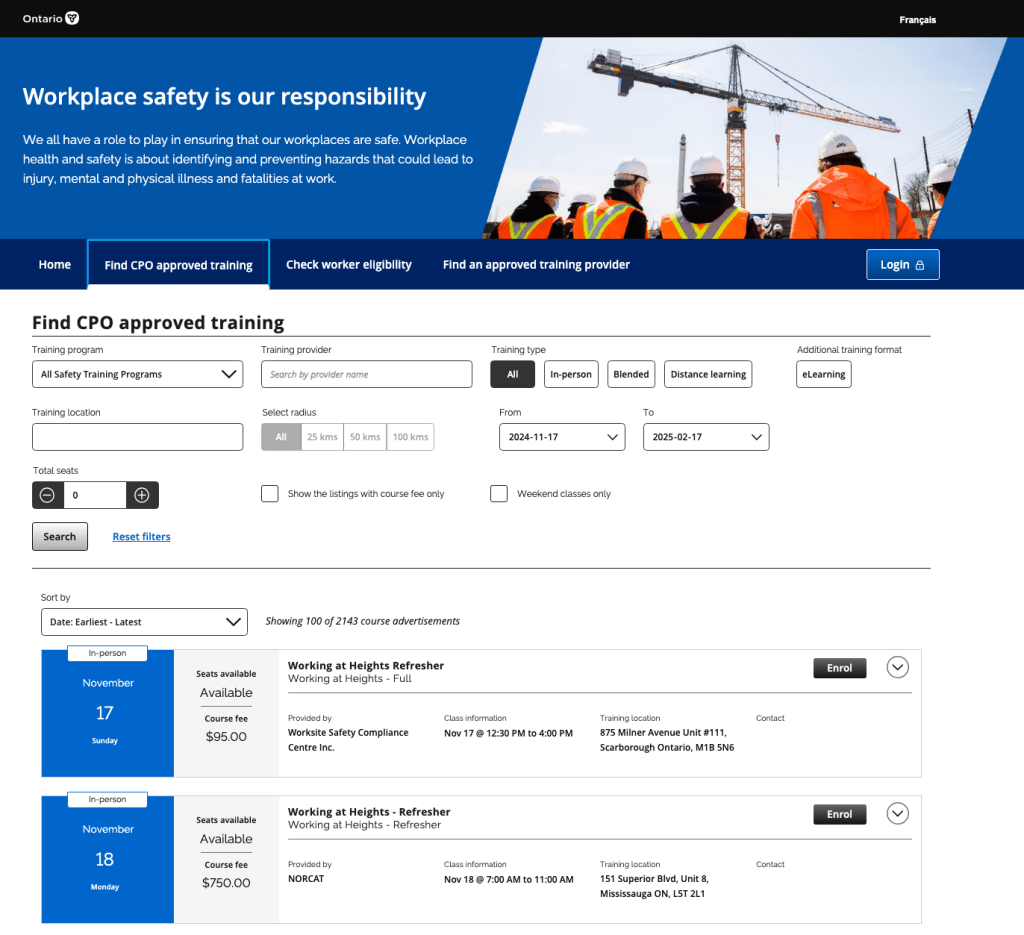
- Find certified training providers,
- Understand employer and employee requirements, and
- Access government-approved safety resources, all while meeting WCAG 2.1 AA and AODA standards.
The Challenge
- Complex information hierarchy: Hundreds of documents and policies spread across disconnected pages.
- Accessibility non-compliance: Legacy templates and PDFs failed WCAG and AODA standards.
- Diverse audiences: Employers, workers, and providers had distinct goals but used the same portal.
- Policy-driven content: Dense legal language reduced comprehension and trust.
- Limited analytics insight: No clear data on user drop-offs or search intent.
I was brought in to lead a full service-design engagement, from research and IA restructuring to UX design, accessibility validation, and content simplification.
My Role & Contributions
1. Discovery & User Research
- Conducted stakeholder interviews with policy, training, and IT teams to understand service pain points.
- Facilitated user testing sessions with employers, workers, and training providers to identify navigation barriers.
- Analyzed search logs and site analytics to understand top-task behavior.
- Developed personas and journey maps capturing user goals (e.g., “Find an approved Working at Heights course”).
2. Service Blueprinting & Information Architecture
- Created a service blueprint mapping front-end user actions to back-end processes (certification, course validation, form submission).
- Reorganized the site’s information architecture around top tasks instead of ministry structure.
- Introduced clear wayfinding patterns: “Get Certified,” “Find a Course,” “Check Status,” and “Resources.”
- Designed a scalable navigation framework supporting content growth and search optimization.
3. Accessibility & Inclusive Design
- Applied WCAG 2.1 AA standards across templates: color contrast, heading hierarchy, form labeling, and link context.
- Partnered with the government’s Digital Standards Office to validate conformance using JAWS, NVDA, and WAVE.
- Converted inaccessible PDFs into HTML-based, mobile-friendly content.
- Created accessible forms and feedback components for training provider submissions.
4. Content Strategy & Plain Language
- Collaborated with policy writers to translate legal and technical requirements into plain, citizen-friendly language.
- Developed content design guidelines emphasizing action verbs, step-by-step instructions, and visual cues.
- Consolidated duplicate content from multiple divisions into unified, searchable topics.
5. Design & Delivery
- Designed responsive prototypes in Figma and Adobe XD following Ontario’s Digital Service Standard.
- Introduced consistent iconography and color hierarchy for clarity.
- Worked in Agile sprints with developers and QA to ensure accessibility persisted through deployment.
- Documented all accessibility test cases and content governance models for future updates.

Outcomes & Impact
- Achieved WCAG 2.1 AA compliance across all redesigned templates.
- Reduced average time-to-task (finding a certified course) by 45 %.
- Increased successful form submissions and course lookups by over 30 %.
- Simplified 200+ legacy pages into a clear, task-oriented information architecture.
- Established a content governance framework adopted by other Ministry sites.
